Promote Your Event!

Jesse Lewis Comedy Hypnosis Show Client Success System

Public Event Promotion Success Guide

A practical client success system to help promote your event, sell more tickets, and get more people in the room.

If you have already booked the Jesse Lewis Comedy Hypnosis Show for a public event, this page is here to make promotion easier. It is built for fundraisers, fairs, festivals, school events, grad events, community events, association events, and other public ticketed shows.

Inside this guide, you will find practical tools, copy and paste wording, promo materials, sponsor strategies, social media ideas, local promotion tips, press release help, and final week reminders you can actually use.

What This Guide Helps You Do

  • Promote your event more clearly
  • Give committee members and sponsors useful tools to share
  • Make ticket information easier for people to find
  • Use both online and local community promotion
  • Build stronger momentum in the final week
Public event promotion poster for the Jesse Lewis Comedy Hypnosis Show

Use the promo materials, templates, and strategies on this page to help promote your event more effectively.

Public Event Promo Kit

Simple tools to help promote your event, sell more tickets, and get more people in the room.

The Jesse Lewis Comedy Hypnosis Show is booked. Now the next job is to help people hear about the event, understand what is happening, and know exactly how to attend.

This page is designed to make that easier. It gives you a practical promotion plan, downloadable photos and graphics, copy and paste wording, sponsor sharing ideas, press release guidance, and simple steps your committee, sponsors, venue, and volunteers can use.

The goal is to make your event clear, visible, easy to share, and easy to buy tickets for.

Quick Start

  1. Confirm your event details.
  2. Use the AI prompt on this page to create custom event copy.
  3. Download the photos, headshots, poster graphics, and promo images you want to use.
  4. Share the copy and images with your committee, sponsors, venue, ticket sellers, and volunteers.
  5. Post consistently online and promote locally in the real world.
  6. Make the date, time, venue, ticket price, and ticket contact clear every time you promote the event.

The Main Promotion Rule

Do not sell only the show. Sell the full night.

People are more likely to attend when they understand the entertainment, the cause, the sponsors, the food, the prizes, the raffles, the 50/50, the silent auction, the group ticket options, and the reason the event matters.

Table of Contents

Use the links below to jump to the section you need.

1. Gather Your Event Details

Before you create posts, posters, sponsor messages, press releases, or ticket reminders, collect the event details in one place.

This makes promotion much easier because everyone uses the same information. If the date, time, ticket price, or contact details change from one post to another, people get confused and ticket sales become harder.

Copy This Event Detail List

Fill this out first. You can use it for your posters, Facebook event, social posts, newsletters, press release, sponsor messages, and AI prompt.

Event name: [EVENT NAME]

Event type: [Fundraiser / fair / festival / school event / grad / community event / association event / public ticketed event / other]

Date: [DATE]

Time: [TIME]

Doors open time, if applicable: [DOORS OPEN TIME]

Venue name and location: [VENUE NAME AND LOCATION]

City, province, and local area being promoted to: [CITY / PROVINCE / LOCAL AREA]

Ticket price: [TICKET PRICE]

How people buy tickets: [TICKET LINK / PHONE / EMAIL / IN-PERSON LOCATION / CONTACT PERSON]

Who the event supports, if applicable: [CAUSE / ORGANIZATION / SCHOOL / TEAM / CLUB / COMMUNITY PROJECT]

What the money will be used for: [USE OF FUNDS]

Other event features: [50/50 / raffle / silent auction / meal / cash bar / door prizes / sponsors / local vendors / other]

Audience: [All ages / family friendly / youth focused / adults only]

Rules or restrictions: [Age restriction / liquor service / venue rules / accessibility / parking / door sales details]

Main event contact: [NAME / PHONE / EMAIL]

Details That Should Be Clear Every Time

Every post does not need to include every detail, but the most important information should always be easy to find.

  • What the event is
  • When it happens
  • Where it happens
  • How much tickets cost
  • How people buy tickets
  • Who or what the event supports, if applicable
  • What else is happening that night, such as food, prizes, raffles, 50/50, silent auction, sponsor features, or local vendors

Simple Rule

If someone has to search for the date, time, venue, ticket price, or ticket contact, the promotion is not doing its job yet.

Back to top

2. Use AI to Create Your Promo Copy

You do not need to write every post, email, sponsor message, or press release from scratch.

Copy the prompt below, paste it into ChatGPT or another AI writing tool, and fill in your event details. It will help create practical promotional copy for your specific event.

How to Use the Prompt

  1. Copy the full prompt below.
  2. Paste it into ChatGPT or another AI writing tool.
  3. Fill in your event details when asked.
  4. Review the copy before posting.
  5. Make sure the date, time, venue, ticket price, and ticket contact are correct.

Copy and Paste AI Prompt

I am promoting a public event featuring the Jesse Lewis Comedy Hypnosis Show. Please help me create practical, clear promotional copy for this event. Do not use hype. Do not use cheesy wording. Do not use emojis. Do not use exaggerated claims. Do not overexplain hypnosis. Make the copy sound local, useful, and easy for real people to share. Before creating the promotional copy, ask me for any missing event information you need. Please collect these details: Event name: Event type: Fundraiser, fair, festival, school event, grad, community event, association event, public ticketed event, or other Date: Time: Doors open time, if applicable: Venue name and location: City, province, and local area being promoted to: Ticket price: How people buy tickets: Ticket link, phone number, email, in-person location, or contact person Who the event supports: Cause, organization, committee, school, team, club, or community project What the money will be used for: Other event features: 50/50, raffle, silent auction, meal, cash bar, door prizes, sponsors, local vendors, or other Audience details: Is the show all ages, family friendly, youth focused, or adults only? Rules or restrictions: Are there any age restrictions, liquor service details, venue rules, accessibility details, parking details, door sales details, or ticket deadline details that should be mentioned? Event contact: Who should be listed as the event contact? Sponsors or partners to mention: Sponsor names, venue partners, media partners, or community partners Once I provide the event information, create: 1. A main event description for the event page 2. A shorter event description for posters and community calendars 3. A Facebook announcement post 4. An Instagram caption 5. A TikTok or Reel script 6. A sponsor sharing post 7. A venue sharing post 8. A committee member personal invite message 9. A group ticket or table sales post 10. A reminder post for 2 weeks before the event 11. A final week reminder post 12. A final 72 hour reminder post 13. A day of event reminder post 14. A short email announcement 15. A text message invite 16. A press release for local media 17. A short media pitch email to send with the press release 18. A checklist of where we should post or send the event For every piece of copy, make sure the date, time, venue, ticket price, and ticket contact are easy to find. Use the show name exactly as: Jesse Lewis Comedy Hypnosis Show

Important Reminder

AI can help create the first draft, but someone from your event should always check the details before posting. Make sure names, dates, times, ticket links, prices, sponsor names, and venue details are accurate.

Back to top

Download Promo Graphics and Headshots

Use the promo graphics and headshots below for posters, social media posts, sponsor thank-you posts, event pages, newsletters, media coverage, and other event promotion.

These files are here to make promotion easier. Choose the image that best fits the platform you are posting on, then download it and use it in your event marketing.

Simple Tip

If you are posting multiple times, use the same core event details but rotate the image. That helps your promotion stay clear while giving people something visually different to notice.

Promo Graphics

Jesse Lewis comedy hypnosis show public event poster template

Poster Template 1

Useful for event posters, venue displays, sponsor locations, and local bulletin boards.

Jesse Lewis comedy hypnosis show printable event poster template

Poster Template 2

A second poster option for local promotion, ticket locations, and event promotion displays.

Jesse Lewis comedy hypnosis show blank poster template for public events

Poster Template 3

Another clean poster option for community events, schools, fairs, and ticketed public shows.

Jesse Lewis comedy hypnosis show black and yellow promo poster

Black and Yellow Promo Poster

A stronger visual promo piece for social posts, event pages, and digital sharing.

Jesse Lewis comedy hypnosis show get hypnotized promo graphic

Get Hypnotized Promo Graphic

Useful for general event promotion, social media, and audience attention posts.

Jesse Lewis comedy hypnosis show promotional graphic

General Promo Graphic

A general-use image for online event promotion, reminders, and sponsor sharing.

Jesse Lewis comedy hypnosis show youth day promotional graphic

Youth Day Promo Graphic

Useful for youth-focused promotion, school related promotion, and community sharing.

Headshots

Jesse Lewis comedy hypnotist professional headshot

Professional Headshot 1

Best for media use, event pages, newsletters, website listings, and professional promotion.

Jesse Lewis comedy hypnosis show cutout headshot for event promotion

Cutout Headshot 1

Useful for poster design, Canva layouts, sponsor graphics, and custom promo pieces.

Jesse Lewis comedy hypnosis show cutout promotional headshot

Cutout Headshot 2

A second cutout option for event graphics, promotional layouts, and digital designs.

Jesse Lewis comedy hypnosis show transparent background headshot

Cutout Headshot 3

Useful for custom posters, social graphics, event pages, and other promotional layouts.

Best Uses

  • Use promo graphics for posters, social media posts, Facebook events, sponsor sharing, and local group posts.
  • Use headshots for newsletters, media coverage, event pages, press releases, and professional listings.
  • When possible, keep the event name, date, time, venue, and ticket contact clear on every promo piece.

Back to top

4. Basic Weekly Social Media Timeline

A simple promotion plan is to post once per week on your main page and on local pages or groups where event promotion is allowed.

You can use the same basic promotional information each time, but change the image and the angle of the post. This keeps the event visible without making every post feel exactly the same.

The Rule

The event details should stay consistent. The angle and graphic should change.

Every weekly post should still make the date, time, venue, ticket price, and ticket contact easy to find.

6 Weeks Out: Announcement Post

Graphic to use: Main poster, event graphic, or strong stage photo.

Focus: Let people know the event is happening and tickets are available.

Post angle: Tickets are now available for [EVENT NAME] featuring the Jesse Lewis Comedy Hypnosis Show.

5 Weeks Out: Why the Event Matters

Graphic to use: Organization image, sponsor graphic, fundraiser graphic, or show photo.

Focus: Explain who the event supports and why people should attend.

Post angle: This event supports [CAUSE / ORGANIZATION]. Come out for a fun night and help support the community.

4 Weeks Out: What the Show Is

Graphic to use: Stage photo, action photo, or headshot.

Focus: Explain the entertainment clearly.

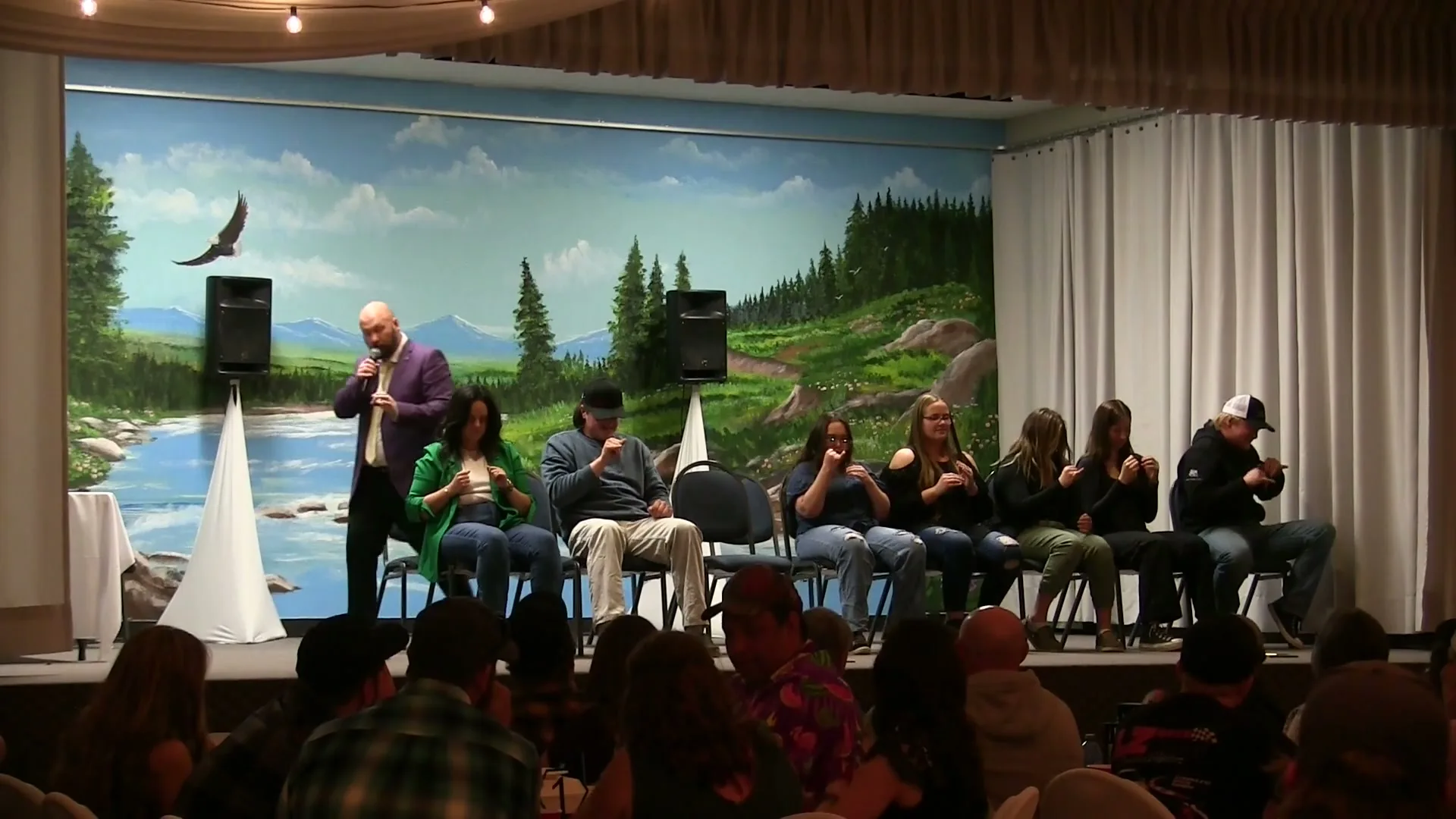
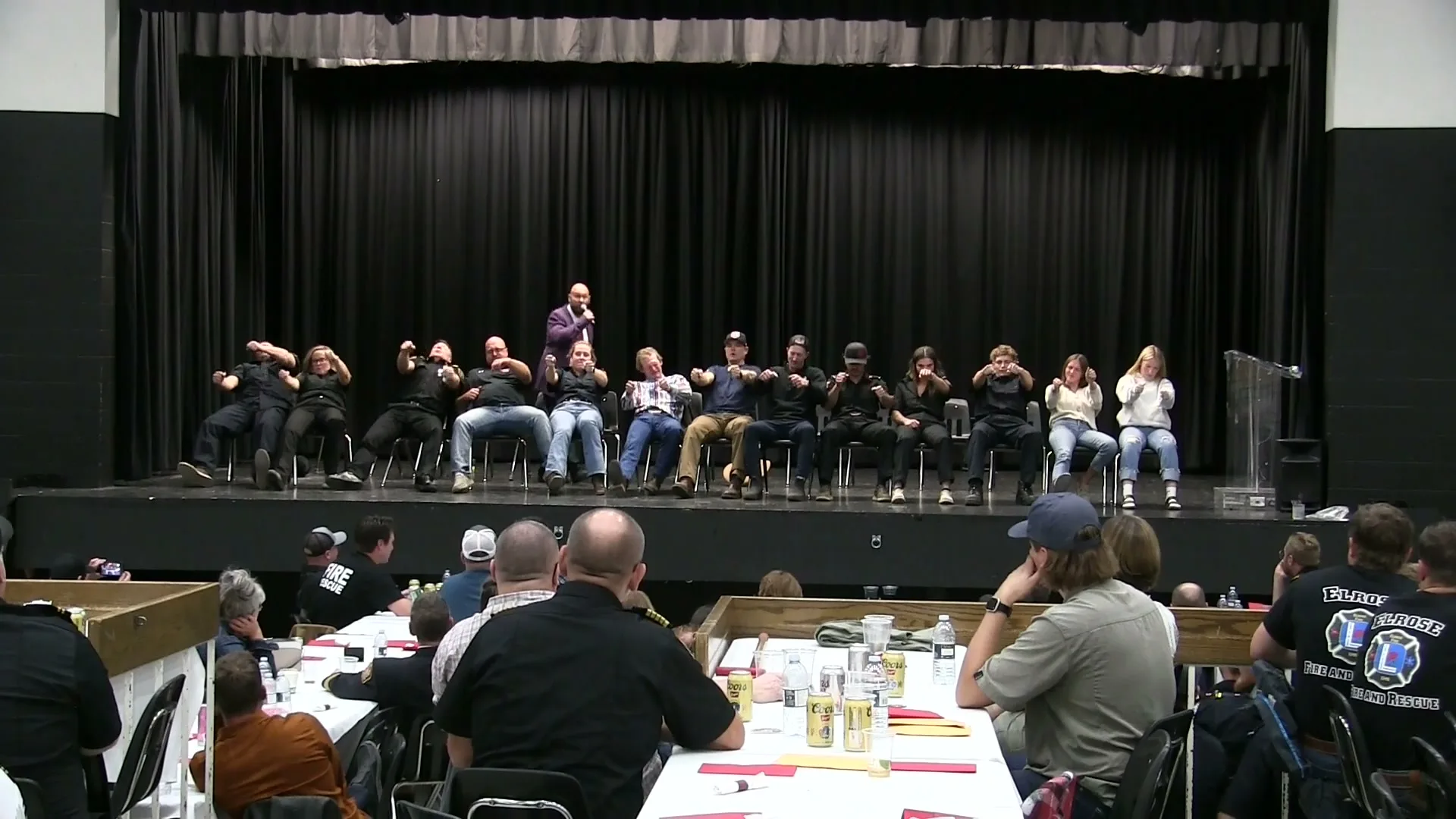
Post angle: The Jesse Lewis Comedy Hypnosis Show is a clean, interactive comedy show where volunteers from the audience become part of the fun.

3 Weeks Out: Sponsors, Prizes, and Event Features

Graphic to use: Sponsor graphic, poster, prize image, or event feature image.

Focus: Mention 50/50, raffles, silent auction, meal, cash bar, door prizes, sponsor tables, local vendors, or other features.

Post angle: This is more than just the show. Join us for [EVENT NAME] with [EVENT FEATURES].

2 Weeks Out: Group Ticket Push

Graphic to use: Poster, stage photo, or social graphic.

Focus: Encourage families, friends, teams, workplaces, sponsors, and community groups to buy tickets together.

Post angle: Planning to come as a group? Message [TICKET CONTACT] for ticket details or group ticket options.

1 Week Out: Final Week Reminder

Graphic to use: Strongest show photo, poster, or event details graphic.

Focus: Remind people the event is coming up soon and make buying tickets easy.

Post angle: [EVENT NAME] is coming up this week. Tickets are [TICKET PRICE] and available at [TICKET CONTACT / LINK].

Final 72 Hours: Last Chance Post

Graphic to use: Poster, countdown graphic, or strongest image.

Focus: Make the date, time, venue, and ticket details impossible to miss.

Post angle: Last chance reminder. The Jesse Lewis Comedy Hypnosis Show is happening [DATE] at [VENUE].

Day of Event: Tonight Post

Graphic to use: Poster or simple event details graphic.

Focus: Doors, show time, venue, ticket or door sales information, and parking if needed.

Post angle: Tonight is the night. Doors open at [TIME]. Show starts at [TIME]. Tickets are [DETAILS].

Where to Use These Weekly Posts

  • Your organization Facebook page
  • Your Facebook event page
  • Local Facebook groups where event promotion is allowed
  • Local business groups where appropriate
  • Sponsor pages, if sponsors are willing to share
  • Instagram posts and stories
  • TikTok or short local videos
  • Email newsletters or community updates

Back to top

9. On the Ground Promotion

Local events still need local visibility. Online promotion matters, but people also need to see the event in the places they already go.

Posters, table tents, ticket sellers, sponsor locations, community bulletin boards, and personal conversations can all help build attendance.

The Main Rule

Do not only promote online. If your event is local, make sure people can see it locally.

Poster Placement

Place posters where your audience already goes.

  • Venue entrance
  • Sponsor businesses
  • Grocery stores
  • Gas stations
  • Restaurants and coffee shops
  • Community halls
  • Arenas and curling rinks
  • Libraries
  • Recreation centres
  • Local bulletin boards

Sponsor Locations

If sponsors are supporting the event, ask them to display a poster, table tent, or counter card. Their customers may be a strong audience for your event.

Ticket Sellers

If you are using physical tickets, make sure more than one person is actively selling. Give each seller a small goal and check in weekly.

Personal Conversations

Mention the event at meetings, games, practices, school activities, service club gatherings, sponsor locations, and other community events.

Poster and Table Tent Tips

  • Always ask permission before placing posters.
  • Make sure the ticket contact or QR code is easy to read.
  • Do not make the poster too crowded.
  • Include the event name, date, time, venue, ticket price, and how to buy tickets.
  • Check posters once a week if possible.
  • Replace damaged or outdated posters.

Simple Local Promotion Assignment

Give one person responsibility for physical promotion.

  • Print posters.
  • Place posters at sponsor locations and local businesses.
  • Confirm the venue has posters displayed.
  • Make sure ticket locations have clear information.
  • Check back before the final week.

Back to top

10. Online Promotion

Online promotion works best when it is clear, repeated, and shared by more than one person or page.

One post is not a promotion plan. Most people need to see an event more than once before they notice it, talk about it, or buy tickets.

The Main Rule

Use the same clear event details every time, but change the angle, image, or reason for the post.

Main Event Page

Create one main place where people can find the event details. This could be a Facebook event, ticket page, Eventbrite page, organization website, or venue event listing.

Organization Page

Post from the main organization page so there is an official source for the event. Pin the main post if possible.

Personal Profiles

Ask committee members, volunteers, and supporters to post from their own profiles. Personal posts often reach people the organization page does not.

Sponsor and Venue Pages

Sponsors and venues may have larger or different audiences than the event committee. Give them copy and images so they can share easily.

What Every Online Post Should Make Clear

  • Event name
  • Date
  • Time
  • Venue
  • Ticket price
  • How to buy tickets
  • Who or what the event supports, if applicable
  • Any important add-ons, such as meal, 50/50, raffle, silent auction, prizes, or cash bar

Simple Online Promotion Plan

  1. Create or update the main event page.
  2. Post the announcement on the organization page.
  3. Ask committee members to share and personally invite people.
  4. Post weekly with a different angle or image.
  5. Tag sponsors and partners when appropriate.
  6. Post in local groups where event promotion is allowed.
  7. Increase reminders in the final week.
  8. Make the ticket link or contact easy to find every time.

Back to top

11. Facebook, Instagram, TikTok, and Local Groups

Different platforms work in different ways. You do not need to use everything, but you should use the platforms that make sense for your audience and community.

Facebook

Best for local event awareness, Facebook events, community groups, sponsor sharing, and ticket links.

  • Create a Facebook event if appropriate.
  • Post from the organization page.
  • Ask committee members to share personally.
  • Post into local groups where allowed.
  • Use sponsor tags when thanking sponsors.

Instagram

Best for images, stories, reminders, countdowns, sponsor tags, and short event updates.

  • Use strong photos or poster graphics.
  • Post reminders to stories.
  • Tag sponsors, venue, and partners where appropriate.
  • Keep captions clear and direct.
  • Repeat ticket details often.

TikTok and Reels

Best for simple short videos from organizers, sponsors, venue staff, students, volunteers, or committee members.

  • Keep videos short and local.
  • Say the event name, date, venue, and ticket contact.
  • Use a simple phone video.
  • Do not overproduce it.
  • Make the next step clear.

Simple Short Video Script

Hi everyone, we are hosting [EVENT NAME] on [DATE] at [VENUE]. The event features the Jesse Lewis Comedy Hypnosis Show and supports [CAUSE / ORGANIZATION]. Tickets are [PRICE] and you can get them at [LINK / CONTACT]. We hope to see you there.

Local Group Posting Rule

Check the group rules before posting. Some groups allow community events, some require admin approval, and some do not allow ticketed event promotion.

Local Group Types to Check

  • Community groups
  • Town or city announcement groups
  • Local event groups
  • Local business groups
  • Buy and sell groups, if allowed
  • Parent groups, if appropriate
  • School or team groups, if appropriate
  • Neighbourhood groups

Local Group Posting Tips

  • Use clear local wording.
  • Include the date, time, venue, and ticket contact.
  • Use a strong image or poster.
  • Do not post the exact same copy everywhere at once.
  • Use a different angle or image for weekly reminders.
  • Respond to questions in the comments.

Back to top

12. Ticket Sales, Personal Invites, and Group Buys

Promotion should lead people to a clear next step. It is not enough to say the event is happening. People need to know how to buy tickets, who to contact, and whether they can come as a group.

The Main Rule

Do not just say “tickets are available.” Tell people exactly where to get them, who to contact, and what to do next.

Make Buying Easy

  • Use one clear ticket link if possible.
  • If tickets are sold by phone, list the phone number.
  • If tickets are sold by email, list the email address.
  • If tickets are sold in person, list the location.
  • If one person is handling tickets, list that contact clearly.

Give People a Reason to Act

  • Remind them the date is coming up.
  • Mention limited seating if true.
  • Mention ticket deadlines if there are any.
  • Mention door sales clearly if they are available.
  • Mention if prices are different at the door.

Personal Invites Sell Tickets

General posts help, but personal invitations often move people to actually buy. Ask committee members, sponsors, volunteers, and supporters to invite people directly.

Hey, we are helping organize [EVENT NAME] on [DATE] at [VENUE]. It features the Jesse Lewis Comedy Hypnosis Show and supports [CAUSE / ORGANIZATION]. I thought you might enjoy it. Tickets are [TICKET PRICE]. Want me to send you the link?

We are trying to build a good crowd for [EVENT NAME] on [DATE]. It is a clean, interactive comedy hypnosis show and should be a fun night out. If you are interested, tickets are [TICKET PRICE] and I can send you the details.

Group Buys and Ticket Blocks

Many people are more likely to attend if they come with friends, family, coworkers, teammates, or a sponsor group. Make it easy for people to buy tickets together.

  • Encourage families to buy 4 to 6 tickets together.
  • Ask businesses to buy tickets for staff or customers.
  • Ask sponsors if they want a ticket block.
  • Ask teams, clubs, or workplaces to attend as a group.
  • Encourage committee members to sell small groups of tickets, not just single tickets.
  • If you have tables, make table sales or reserved groups clear.

Planning to come as a group? We can help arrange tickets for families, workplaces, teams, clubs, or sponsor groups for [EVENT NAME]. Message [TICKET CONTACT] for details.

Simple Committee Ticket Goal

Instead of hoping one person sells all the tickets, give each committee member a small target.

For example, if 10 committee members each invite 10 people, that creates 100 direct invitations. That is often more effective than one general post.

Back to top

14. Posters, Table Tents, Flyers, and QR Codes

Printed tools still work well for local events. They are especially useful at sponsor businesses, venues, schools, arenas, community halls, restaurants, coffee shops, and ticket locations.

The Main Rule

Printed promotion should make the event easy to understand and easy to act on. The ticket contact or QR code must be clear.

Posters

Use posters for sponsor locations, venue entrances, community boards, arenas, schools where appropriate, recreation centres, libraries, restaurants, and local businesses.

Table Tents

Table tents work well at restaurants, coffee shops, sponsor counters, venue tables, school offices, community halls, bars, lounges, and front desks.

Flyers and Handouts

Flyers can be handed out at games, meetings, practices, markets, ticket locations, sponsor businesses, and other community events.

QR Codes

A QR code can help people move from seeing the poster to buying tickets or reading event details immediately.

Poster Text Template

[EVENT NAME]

Featuring the Jesse Lewis Comedy Hypnosis Show

[DATE]

[TIME]

[VENUE]

Tickets: [TICKET PRICE]

Get tickets: [TICKET CONTACT / LINK]

Supporting: [CAUSE / ORGANIZATION]

Also featuring: [50/50 / RAFFLE / SILENT AUCTION / DOOR PRIZES / MEAL / OTHER FEATURES]

For more information: [CONTACT NAME / PHONE / EMAIL]

Table Tent or Counter Card Template

[EVENT NAME]

Featuring the Jesse Lewis Comedy Hypnosis Show

[DATE] at [TIME]

[VENUE]

Tickets: [TICKET PRICE]

Scan for tickets or contact: [TICKET CONTACT / LINK]

Supporting: [CAUSE / ORGANIZATION]

QR Code Tips

  • Point the QR code to the ticket page, Facebook event, Eventbrite page, or main event page.
  • Test the QR code before printing.
  • Use simple wording like “Scan for tickets” or “Scan for event details.”
  • Make sure the QR code is large enough to scan easily.
  • Do not place the QR code too close to the edge of the design.

Printed Promotion Checklist

  • Poster has event name, date, time, venue, and ticket contact.
  • Ticket price is visible.
  • QR code works, if used.
  • Posters are placed at sponsor locations.
  • Venue has posters displayed.
  • Table tents or counter cards are placed where appropriate.
  • Someone checks posters before the final week.

Back to top

15. Press Releases and Local Media

Local media can help get your event in front of people who may not follow your organization online. This is especially useful for fundraisers, fairs, festivals, school events, association events, service club events, and community events.

A press release does not need to be complicated. It just needs to clearly explain what the event is, when it is happening, where it is happening, who it supports, and how people can attend.

The Main Rule

Send local media clear event details early enough that they have time to use them.

Who to Send It To

  • Local newspaper
  • Community radio station
  • Local TV community listings, if available
  • Online local news pages
  • Town or city event calendar
  • Chamber of Commerce newsletter
  • Tourism or community event listing
  • School, club, or association newsletters where appropriate

When to Send It

  • Send the first press release 3 to 5 weeks before the event.
  • Follow up 7 to 10 days before the event if needed.
  • Send final event details again if there are door sales, ticket deadlines, or important updates.

What to Include

  • Event name
  • Date and time
  • Doors open time, if applicable
  • Venue name and address
  • Ticket price
  • How to buy tickets
  • Who the event supports
  • What the money will be used for, if applicable
  • A short description of the Jesse Lewis Comedy Hypnosis Show
  • Any extras such as meal, 50/50, raffle, silent auction, door prizes, sponsors, or local vendors
  • Main event contact

Press Release Template

FOR IMMEDIATE RELEASE

[EVENT NAME] featuring the Jesse Lewis Comedy Hypnosis Show coming to [CITY / COMMUNITY]

[CITY, PROVINCE] — [EVENT NAME] will take place on [DATE] at [TIME] at [VENUE], featuring the Jesse Lewis Comedy Hypnosis Show.

The show is a clean, interactive comedy hypnosis show where volunteers from the audience become part of the entertainment. It is designed to create a fun shared experience for the room and is suitable for [ALL AGES / FAMILY FRIENDLY / YOUTH FOCUSED / ADULTS ONLY].

The event supports [CAUSE / ORGANIZATION / SCHOOL / TEAM / CLUB / COMMUNITY PROJECT]. Funds raised will be used for [WHAT THE MONEY WILL BE USED FOR].

The event will also include [50/50 / RAFFLE / SILENT AUCTION / MEAL / CASH BAR / DOOR PRIZES / SPONSORS / LOCAL VENDORS / OTHER FEATURES].

Tickets are [TICKET PRICE] and are available through [TICKET CONTACT / LINK].

For more information, contact [CONTACT NAME] at [PHONE / EMAIL].

Media Pitch Email

This is the short email you can send with the press release or event details.

Subject: Local event supporting [CAUSE / ORGANIZATION] on [DATE]

Hi [NAME],

I wanted to send over details for [EVENT NAME], happening on [DATE] at [VENUE].

The event features the Jesse Lewis Comedy Hypnosis Show and supports [CAUSE / ORGANIZATION]. There will also be [50/50 / raffle / silent auction / meal / door prizes / sponsor features, if applicable].

I have included the event details below in case it is a fit for your community calendar, events page, radio announcements, or local news coverage.

Thanks,
[NAME]
[PHONE]
[EMAIL]

Back to top

16. Newsletters, Email, Text, and Radio Copy

Not every promotion has to be a social media post. Many events can also be promoted through newsletters, email lists, text messages, staff updates, school announcements, sponsor lists, and local radio community announcements.

The Main Rule

Keep the wording short, clear, and easy to forward. Always include the date, time, venue, ticket price, and how to buy tickets.

Newsletter Uses

  • School newsletters
  • Parent emails
  • Team emails
  • Club newsletters
  • Association newsletters
  • Chamber newsletters
  • Sponsor customer newsletters
  • Venue email lists

Short Message Uses

  • Text messages
  • Messenger
  • Committee group chats
  • Team chats
  • Staff updates
  • Volunteer reminders
  • Final week ticket pushes

Newsletter Blurb

[EVENT NAME] takes place on [DATE] at [TIME] at [VENUE], featuring the Jesse Lewis Comedy Hypnosis Show.

The event supports [CAUSE / ORGANIZATION] and includes [EVENT FEATURES].

Tickets are [TICKET PRICE] and can be purchased through [TICKET CONTACT / LINK].

Short Email Announcement

Subject: [EVENT NAME] on [DATE]

We are inviting you to [EVENT NAME] on [DATE] at [TIME] at [VENUE], featuring the Jesse Lewis Comedy Hypnosis Show.

This is a clean, interactive live comedy show and a great opportunity to support [CAUSE / ORGANIZATION].

Tickets are [TICKET PRICE] and can be purchased through [TICKET CONTACT / LINK].

We would love to see you there.

Text Message Invite

We are hosting [EVENT NAME] on [DATE] at [VENUE], featuring the Jesse Lewis Comedy Hypnosis Show. Tickets are [TICKET PRICE]. Want the link or details?

Radio or Community Announcement Copy

Some radio stations or community announcement boards may accept short public service announcement style copy.

[EVENT NAME] takes place on [DATE] at [TIME] at [VENUE], featuring the Jesse Lewis Comedy Hypnosis Show. Tickets are [TICKET PRICE] and are available through [TICKET CONTACT / LINK]. Proceeds support [CAUSE / ORGANIZATION]. For more information, contact [CONTACT DETAILS].

Simple Tip

Ask people to forward the email, share the newsletter blurb, or send the text message to a few people who may want to attend. Direct sharing can work better than hoping people see a public post.

Back to top

17. Community Calendar Submissions

Community calendars are useful because they help people find events even if they are not already following your organization.

These listings are usually free, but they need to be submitted early enough to be approved and published before the event.

The Main Rule

Submit the event to local calendars as soon as the event details and ticket information are confirmed.

Where to Submit

  • Town or city event calendar
  • Local tourism calendar
  • Chamber of Commerce calendar
  • Community newspaper calendar
  • Radio station event calendar
  • Venue calendar
  • School or association calendar where appropriate
  • Local “things to do” pages
  • Facebook Events
  • Eventbrite or your ticketing platform, if used

Information You May Need

  • Event title
  • Short event description
  • Date and time
  • Venue address
  • Ticket price
  • Ticket link or contact
  • Event image or poster
  • Organizer name
  • Contact phone or email
  • Website or Facebook event link

Short Calendar Listing Copy

[EVENT NAME] takes place on [DATE] at [TIME] at [VENUE], featuring the Jesse Lewis Comedy Hypnosis Show. This is a clean, interactive comedy hypnosis show where volunteers from the audience become part of the fun. Tickets are [TICKET PRICE] and are available through [TICKET CONTACT / LINK]. The event supports [CAUSE / ORGANIZATION].

Submission Tip

Keep a list of where you submitted the event. That makes it easier to check whether the listing was approved and gives you a list to use again for future events.

Back to top

18. Final Week and Day-Of Promotion

The final week is when many people finally decide whether they are going to attend. Do not stop promoting just because the event has already been announced.

This is the time to make the details clear, remind people how to buy tickets, confirm whether door sales are available, and give sponsors, committee members, volunteers, and supporters one more reason to share.

The Main Rule

In the final week, every post should make the date, time, venue, ticket information, and next step easy to find.

Final Week

  • Post a final week reminder.
  • Use your strongest poster or stage photo.
  • Ask committee members to personally invite people.
  • Ask sponsors and the venue to share again.
  • Mention food, prizes, raffles, 50/50, silent auction, or other event features.
  • Make the ticket link or contact clear.

Final 72 Hours

  • Post a last chance reminder.
  • Send direct messages or texts to people who may still be deciding.
  • Clarify whether tickets are available at the door.
  • Confirm doors open time and show time.
  • Remind ticket sellers to return unsold tickets or final numbers if needed.
  • Answer questions quickly.

Final Week Reminder Post

[EVENT NAME] is coming up this week. Join us on [DATE] at [TIME] at [VENUE] for the Jesse Lewis Comedy Hypnosis Show.

Tickets are [TICKET PRICE] and are available through [TICKET CONTACT / LINK].

The event supports [CAUSE / ORGANIZATION] and will also include [EVENT FEATURES].

If you have been planning to attend, this is a good time to get your tickets and invite a few people to join you.

Final 72 Hour Reminder Post

Final reminder for [EVENT NAME].

The Jesse Lewis Comedy Hypnosis Show takes place on [DATE] at [TIME] at [VENUE].

Tickets are [TICKET PRICE] and are available through [TICKET CONTACT / LINK].

If you are planning to attend, please get your tickets soon and make your plans.

Day-Of Event Post

Tonight is the night.

[EVENT NAME] featuring the Jesse Lewis Comedy Hypnosis Show takes place tonight at [VENUE].

Doors open at [DOORS OPEN TIME]. The show starts at [SHOW TIME].

Tickets are [TICKET PRICE] and are available [ONLINE / AT THE DOOR / THROUGH CONTACT].

Location: [VENUE ADDRESS]

Please arrive early if you need to purchase tickets at the door.

Final Day Details to Confirm

  • Doors open time
  • Show time
  • Venue address
  • Parking details, if helpful
  • Entrance location, if needed
  • Whether tickets are available at the door
  • Cash, card, or e-transfer details for door sales
  • Meal, bar, raffle, silent auction, or 50/50 timing
  • Main contact person for questions

Back to top

19. After-Event Thank You

Promotion does not have to end when the event is over. A simple thank-you post helps recognize the people who supported the event and keeps goodwill in the community.

This is especially important for fundraisers, school events, service clubs, community events, sponsors, volunteers, and venues.

The Main Rule

Thank people publicly, keep the tone positive, and recognize the sponsors, volunteers, venue, ticket buyers, and community supporters who helped make the event happen.

Who to Thank

  • Attendees
  • Sponsors
  • Volunteers
  • Committee members
  • Venue
  • Ticket sellers
  • Community partners
  • Local media, if they helped share the event

What to Share

  • Thank-you message
  • A few appropriate photos, if available
  • Amount raised, if it was a fundraiser and you are ready to share it
  • Recognition for sponsors and volunteers
  • A positive note about the community support

After-Event Thank-You Post

Thank you to everyone who attended [EVENT NAME]. We appreciate the support from our guests, sponsors, volunteers, committee members, and venue.

Your support helped make the event a success for [CAUSE / ORGANIZATION].

Thank you again to everyone who helped promote, support, sponsor, and attend the event.

Sponsor Thank-You After the Event

Thank you to [SPONSOR NAME] for supporting [EVENT NAME].

Community events like this are stronger when local businesses and organizations get involved. We appreciate your support and your role in helping make the event possible.

Photo Reminder

If you post photos after the event, keep them respectful and positive. Use appropriate group photos, sponsor photos, venue photos, or general event photos. Avoid posting anything that could embarrass a guest or volunteer.

Back to top

20. Common Promotion Mistakes

Most event promotion problems are not caused by a lack of effort. They usually happen because the promotion is unclear, inconsistent, too late, or handled by too few people.

Use this list to avoid the most common problems.

The Main Rule

If people cannot quickly understand what the event is, when it is, where it is, and how to get tickets, the promotion needs to be clearer.

Posting Problems

  • Posting once and assuming people saw it
  • Only posting from the organization page
  • Not asking committee members to share
  • Not posting in local groups where allowed
  • Using the exact same post every time
  • Stopping promotion too early

Ticket Information Problems

  • No ticket link
  • No ticket contact
  • Ticket price is missing
  • Unclear door sales information
  • People have to search for how to buy tickets
  • Different ticket details in different places

Local Promotion Problems

  • No posters in the community
  • No posters at sponsor locations
  • No table tents or counter cards where useful
  • Poster text is too small
  • No QR code or clear next step
  • No one checks posters before the final week

Sponsor and Committee Problems

  • Not asking sponsors to share
  • Only thanking sponsors after the event
  • No sponsor copy provided
  • No committee ticket goals
  • No personal invite plan
  • Promotion becomes one person’s job

Quick Fixes

  • Make one main event page or ticket page and use it everywhere.
  • Give every committee member the same copy and ticket link.
  • Ask sponsors to share before the event, not only after.
  • Use a different image or angle each week.
  • Repeat the date, time, venue, ticket price, and ticket contact clearly.
  • Use personal invites, not just public posts.
  • Start early and increase reminders in the final week.

Back to top

21. Final Promotion Checklist

Use this checklist to make sure the event is easy to understand, easy to share, and easy to buy tickets for.

You do not need every single item for every event, but the more complete your promotion plan is, the easier it is to build attendance.

Main Rule

Before the final week, make sure people know what the event is, when it is, where it is, how to buy tickets, and why they should attend.

Event Details

  • [ ] Event name confirmed
  • [ ] Date confirmed
  • [ ] Time confirmed
  • [ ] Doors open time confirmed, if applicable
  • [ ] Venue name and address confirmed
  • [ ] Ticket price confirmed
  • [ ] Ticket link or contact confirmed
  • [ ] Main event contact confirmed

Online Promotion

  • [ ] Facebook event or main event page posted
  • [ ] Organization page announcement posted
  • [ ] Weekly social media plan started
  • [ ] Local groups identified
  • [ ] Posts prepared for Facebook, Instagram, and other useful platforms
  • [ ] Ticket link included clearly
  • [ ] Final week reminders planned
  • [ ] Day-of post prepared

Committee and Ticket Sales

  • [ ] Committee has the event copy
  • [ ] Committee has the ticket link or ticket contact
  • [ ] Committee members have invite goals
  • [ ] Personal invite message created
  • [ ] Group ticket message created
  • [ ] Ticket sellers assigned, if using physical tickets
  • [ ] Ticket sales check-ins scheduled
  • [ ] Door sales details confirmed, if applicable

Sponsors and Venue

  • [ ] Sponsors have copy and images
  • [ ] Sponsor thank-you posts planned before the event
  • [ ] Sponsors have been asked to share
  • [ ] Sponsors have posters or table tents, if useful
  • [ ] Venue has event details
  • [ ] Venue has poster or event graphic
  • [ ] Venue has been asked to share the event
  • [ ] Venue details, parking, and entrance information confirmed

Local and Printed Promotion

  • [ ] Posters created
  • [ ] QR code tested, if used
  • [ ] Posters placed at sponsor locations
  • [ ] Posters placed at venue
  • [ ] Posters placed on local bulletin boards where allowed
  • [ ] Table tents or counter cards placed, if useful
  • [ ] Flyers or handouts prepared, if useful
  • [ ] Printed details are readable and accurate

Media and Community Listings

  • [ ] Press release created
  • [ ] Media pitch email created
  • [ ] Local newspaper contacted, if appropriate
  • [ ] Community radio contacted, if appropriate
  • [ ] Town or city calendar submitted
  • [ ] Chamber or tourism calendar submitted, if available
  • [ ] School, club, or association newsletter submitted, if applicable
  • [ ] List of submitted calendars saved for future events

Final 72 Hour Check

  • [ ] Final reminder post ready
  • [ ] Day-of post ready
  • [ ] Sponsors and venue asked to repost
  • [ ] Committee reminded to personally invite people
  • [ ] Ticket availability confirmed
  • [ ] Door sales confirmed, if applicable
  • [ ] Doors open time confirmed
  • [ ] Parking or entrance details confirmed, if needed
  • [ ] Main contact person ready to answer questions

Back to top

22. Questions or Want Me to Look It Over?

If you have questions about promoting your event, or if you want me to look over your event wording before you post it, send it my way.

I can take a quick look at your event description, poster wording, social media post, sponsor post, or press release and let you know if anything important is missing.

Contact Jesse

If you have questions or want me to look over your event wording, reply to my email or call:

306-231-3746

Before You Send It

Please make sure your draft includes the basic event details:

  • Event name
  • Date
  • Time
  • Venue
  • Ticket price
  • How people buy tickets
  • Who the event supports, if applicable
  • Any important extras such as meal, raffle, 50/50, silent auction, sponsors, or door sales

Final Reminder

The more clearly and consistently your event is promoted, the easier it is for people to understand it, share it, buy tickets, and show up.

Back to top

23. Advanced Strategies

Most events do not fail because people did not care. They usually struggle because the promotion was not assigned clearly, was not repeated often enough, or no one was tracking what was working.

This section is for organizers who want a stronger, more organized promotion plan. You do not need every item for every event, but these strategies can help turn a basic promotion effort into a more reliable system.

Main Rule

Good promotion is not just about making posts. It is about making sure the right people are sharing the right message at the right time and that someone is checking whether the plan is actually being carried out.

1. Choose a Promotion Captain

One person should be responsible for overseeing promotion. This does not mean they do everything themselves. It means they make sure the work is assigned, followed up on, and completed.

The promotion captain should check:

  • Has the main event post been published?
  • Are weekly reminder posts going out?
  • Do committee members have copy and images?
  • Have sponsors been thanked and asked to share?
  • Have posters been placed?
  • Are ticket details clear everywhere?
  • Has the press release gone out?
  • Are final week reminders ready?

2. Hold a Weekly Ticket Check-In

Once a week, stop guessing and look at where the event stands. This does not need to be complicated. A short check-in can help the committee adjust before it is too late.

Review questions such as:

  • How many tickets have been sold so far?
  • Which sellers, committee members, or supporters are active?
  • Have sponsors shared the event yet?
  • Which post got the most response?
  • Are people asking the same questions repeatedly?
  • Do we need another push this week?
  • Do ticket details need to be clarified again?
  • Do we need more direct personal invites?

3. Use a Comment and Question Response Plan

When people comment or send questions, respond clearly and quickly. Every question is an opportunity to help that person and also to help others who are reading.

Common questions to answer clearly:

  • Where do I get tickets?
  • How much are tickets?
  • Is it all ages or adults only?
  • Can I buy tickets at the door?
  • What time do doors open?
  • Is there a meal, raffle, 50/50, or silent auction?
  • Where is the venue located?
  • Who do I contact for more information?

Thanks for asking. Tickets are [TICKET PRICE] and are available through [TICKET CONTACT / LINK]. The event takes place on [DATE] at [TIME] at [VENUE]. Let us know if you need anything else.

4. Pin the Main Event Post

If a platform allows it, pin your main event post so people can find the details quickly. This is especially helpful when you are posting multiple reminders over several weeks.

Pin the event post on:

  • Your main Facebook page
  • The Facebook event discussion area, if appropriate
  • Your organization group, if you manage one
  • Any page or account where the event is being promoted repeatedly

5. Handle Ticket Buying Objections Practically

Not everyone says no directly. Often people delay because they are unsure, distracted, or waiting for someone else. A clear response can help move them forward without pressure.

Common Situation Simple Response
I forgot about it. Send the ticket link again and restate the date and venue.
I need to ask someone. Suggest coming as a group and offer to send the details they can forward.
I do not know what the show is. Use a simple explanation and a stage photo. Keep it short and clear.
I do not know where tickets are. Make the link or contact the main focus of your reply.
I will decide later. Remind them of the date and suggest getting tickets before the final rush.

6. Create One Shared Promotion Folder

Promotion gets easier when the committee is working from the same materials. Keep everything in one shared folder or document so people are not searching through emails or group chats.

Include:

  • Confirmed event details
  • Ticket link or ticket contact
  • Main event description
  • Weekly social posts
  • Sponsor sharing copy
  • Poster and promo graphics
  • Press release
  • Final week reminder copy
  • Main contact information

7. Track What Worked for Next Time

After the event, save what you learned. This will make the next event easier to promote and help you avoid starting over from scratch.

Keep notes on:

  • How many tickets were sold
  • Which posts got the best response
  • Which sponsors shared the event
  • Which locations allowed posters
  • Which community calendars accepted the listing
  • Which questions people asked most often
  • What helped most in the final week
  • What should be repeated or improved next time

Advanced Strategy Summary

If you want to run promotion at a higher level, focus on these five things:

  1. Put one person in charge of promotion.
  2. Check ticket progress once a week.
  3. Respond quickly to questions.
  4. Make the main event details easy to find everywhere.
  5. Save what worked so the next event is easier to promote.

Back to top